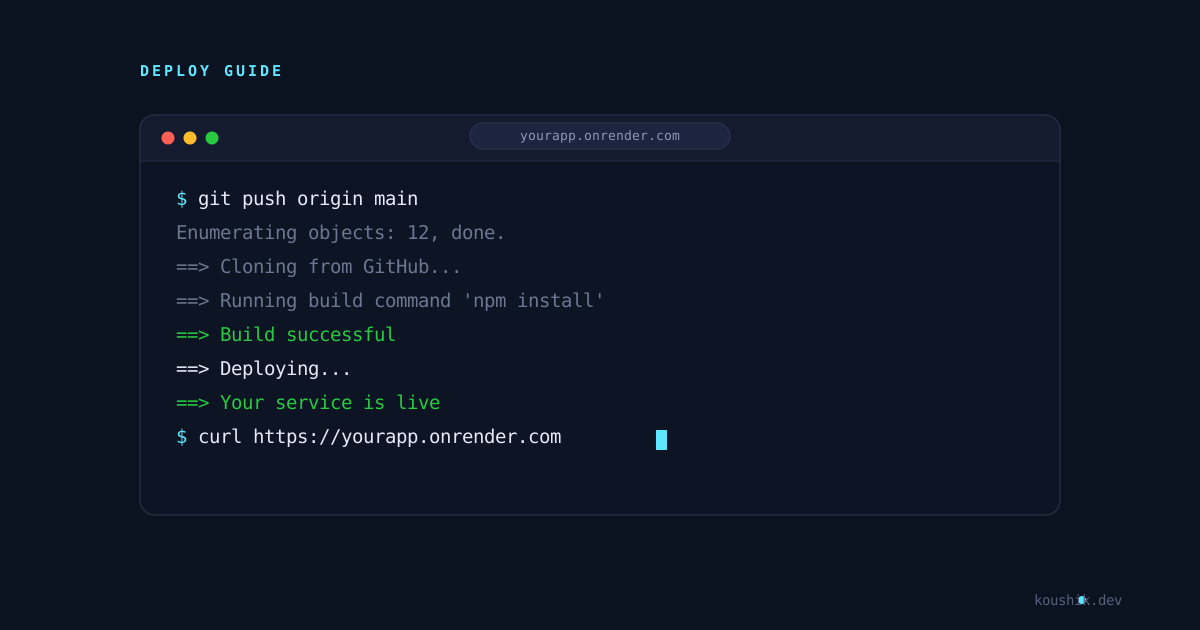
Once your Render account is connected to GitHub, the actual deploy is the easy part. This post walks through deploying a Node.js API as a web service, then goes into the trade-offs of Render's free tier — the part a lot of beginner guides skip.
Deploying a Node.js Project as a Web Service
Assuming your Node.js project is already pushed to a GitHub repo, here's the general flow:
- From the Render dashboard, click New and select Web Service.
- Pick the GitHub repository you want to deploy. If you don't see it listed, you may need to click "Configure account" and grant Render access to that specific repo.
- Render will try to detect your project automatically. For a typical Node.js app, it usually suggests:
- Build Command:
npm install(ornpm ciif you have a lock file and want a cleaner install) - Start Command:
node index.jsornpm start, depending on yourpackage.json
- Build Command:
- Choose an instance type. The Free tier works fine for testing.
- Add any environment variables your app needs (database URL, API keys,
PORT, etc.) under the Environment section. - Click Create Web Service.
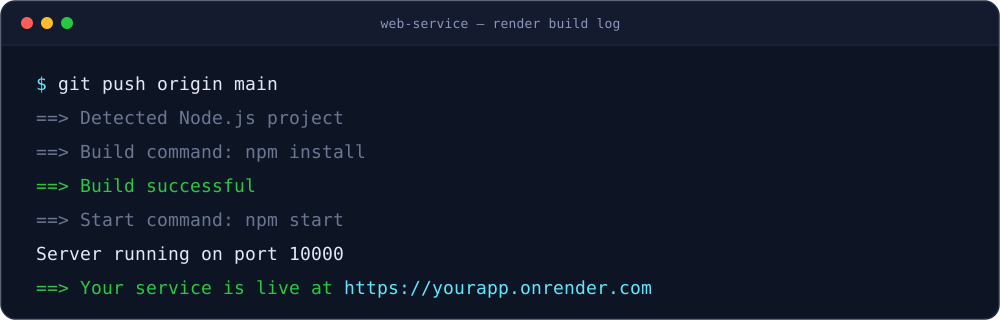
Render will pull your repo, run the build command, then start your app. You can watch the logs in real time while it deploys.
A couple of practical notes I'd flag here, since they trip people up:
Your app needs to listen on the port Render provides through the PORT environment variable, not a hardcoded port like 3000. Something like:
const PORT = process.env.PORT || 3000;
app.listen(PORT, () => console.log(`Server running on port ${PORT}`));
If you hardcode the port instead of reading it from process.env.PORT, Render's health checks won't be able to reach your app, and the deploy will look like it failed even though your code is fine.
Every time you push to the connected branch (usually main), Render automatically triggers a new build and deploy. You don't need to log in and redeploy manually.
Why You'd Want to Deploy a Node.js App on Render
It's genuinely fast to get something live. For a side project or a demo you want to share quickly, you can go from "code on GitHub" to "live URL" in a few minutes, without touching server configuration.
Automatic deploys from Git. Once it's connected, pushing to your branch is basically your deploy pipeline. You don't need to set up your own CI/CD just for a simple deploy.
Free tier exists without a credit card. That matters for students, portfolio projects, and anything you're not sure will need to run long-term.
Managed databases are available too. If your Node app needs PostgreSQL or Redis, Render can host those alongside your service, so you're not juggling multiple providers for a small project.
Why You Might Not Want To (The Trade-offs)
This is the part a lot of beginner guides skip, and it's where I'd push back a little on always recommending Render without context.
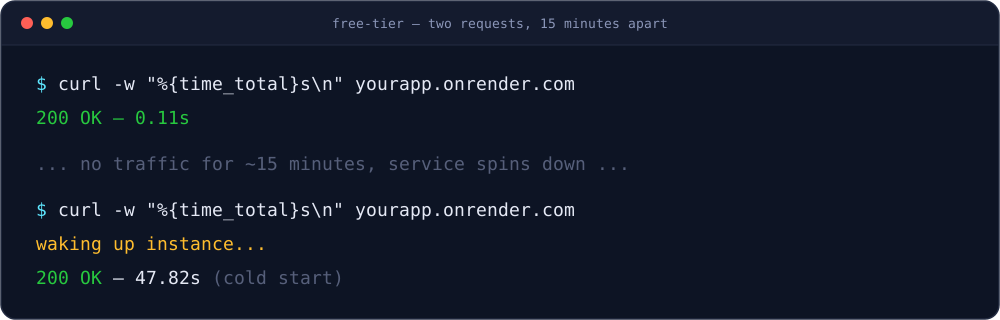
Free web services spin down after inactivity. As of what I found researching this, Render's free instances go to sleep after about 15 minutes without incoming traffic, and the next request after that can take something like 30 to 60 seconds while it spins back up. For a personal API or demo, that's usually fine. For anything where someone is waiting on a response in real time — like a production API, a webhook receiver, or anything time-sensitive — that cold start is a real problem.
Free tier is not meant for production traffic. The free plan gives you limited RAM and CPU (from what I saw, around 512 MB RAM and a fraction of a CPU core). That's enough for testing and small side projects, not for something with real, sustained traffic.
Costs can add up as you scale. Moving to an always-on instance starts at a small monthly fee, but once you add a production-grade database, more RAM, or higher bandwidth, the total cost climbs. A few comparisons I came across mentioned that at high traffic volumes, Render can end up more expensive than some usage-based alternatives like Railway or Fly.io, mainly because Render's pricing model isn't purely usage-based like theirs.
Free databases expire. Free PostgreSQL instances on Render have a fixed storage limit and get deleted automatically after a set number of days unless you upgrade. This is easy to forget if you're using the free database for something you actually care about keeping.
What I'd Take Away From This
For learning, prototyping, or showing a recruiter a working project, Render is a solid, low-friction option to deploy to once your GitHub account is connected.
Where I'd be more careful is assuming the free tier behaves like a "real" hosting setup. The spin-down behavior and the database expiry aren't hidden, but they're easy to miss until your app goes to sleep in the middle of a demo. If a project moves past the "just testing it" stage, it's worth deciding early whether you actually need an always-on instance, rather than finding out the hard way when someone hits your sleeping API and waits a full minute for a response.