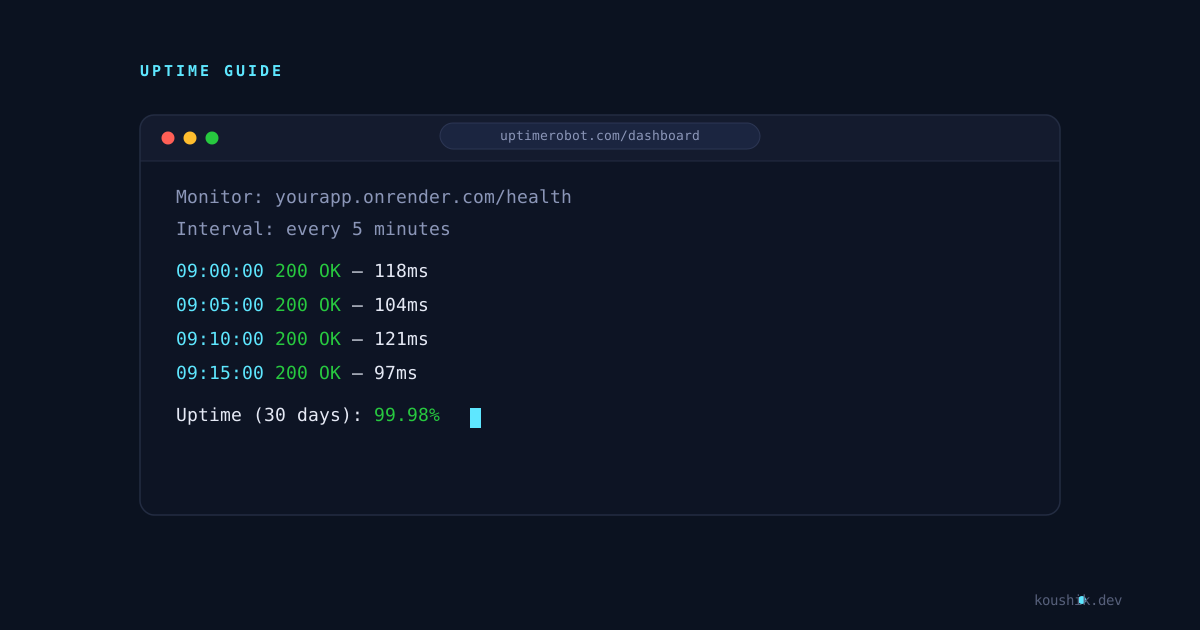
In an earlier post I went over why Render's free web services spin down after about 15 minutes of no traffic, and why the cold start on the next request can take 30 to 60 seconds. The most common fix people reach for is UptimeRobot: point a free monitor at your service, and the periodic checks keep it from ever going idle long enough to sleep. It works, but it's worth understanding what UptimeRobot is actually doing before relying on it.
In this post:
- What UptimeRobot is and who it's really built for
- How its monitoring checks actually work
- How to point one at a Render service, step by step
- What the free plan does and doesn't give you
- Whether this genuinely solves the free-tier problem
What Is UptimeRobot?
UptimeRobot is an uptime monitoring service. You give it a URL, and it checks that URL on a schedule from its own servers, then alerts you if the check starts failing. It's built for the opposite problem to the one we're using it for here — its actual job is telling you when something you host goes down, not keeping something artificially up.
That side-effect is why it's become the go-to trick for Render's free tier: a monitoring check is, functionally, just an HTTP request. If that request lands on your Render service often enough, Render never sees the service go quiet, so it never spins it down.
How UptimeRobot Actually Works
When you create an HTTP(s) monitor, UptimeRobot sends a request to your URL at whatever interval you set and records the response. If it gets back a healthy status code within a reasonable time, the check passes. If a request times out or comes back with an error status, UptimeRobot doesn't immediately mark you as down — it retries, and only flags the monitor as down after a small number of consecutive failures, so a single slow response doesn't trigger a false alarm.
Every check gets logged, which is how it builds the uptime percentage and response-time history you see on the dashboard. If you've set up alert contacts, a status change (up to down, or down back to up) triggers a notification by email, browser push, or a webhook, depending on what you've configured.
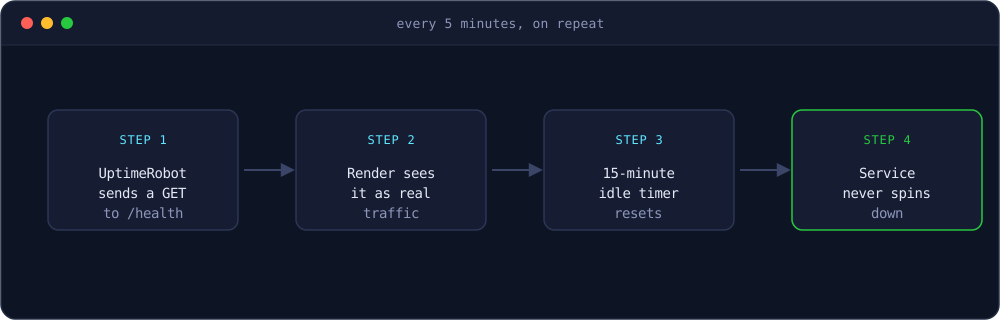
None of this is Render-specific. UptimeRobot has no idea your target happens to spin down when idle — it's just doing its normal job of checking a URL on a schedule. The keep-alive effect is a byproduct of the check interval being shorter than Render's idle window, not a feature either service advertises together.
Setting Up a Monitor for Your Render Service
Assuming your service is already deployed and live at something like yourapp.onrender.com:
- Create a free account at uptimerobot.com.
- From the dashboard, click Add New Monitor.
- Set Monitor Type to HTTP(s).
- Give it a Friendly Name so you can recognize it later.
- For the URL, point it at a lightweight route rather than your homepage:
- A dedicated health-check endpoint is ideal, since it doesn't touch a database or do any real work.
- Hitting a heavier page every 5 minutes just to trigger a response works too, but it's doing more than necessary for a check that only needs a 200.
- Set Monitoring Interval to 5 minutes — that's the minimum the free plan allows, and it's well inside Render's ~15-minute idle window.
- Add an alert contact (your email is fine) so you actually hear about it if the service goes down for a real reason.
- Click Create Monitor.
If you don't already have a simple health route, something like this in an Express app is enough:
app.get('/health', (req, res) => {
  res.status(200).send('OK');
});
That's genuinely the whole setup. Within a few minutes you'll see the first checks come in on the dashboard, and as long as they keep landing every 5 minutes, your service shouldn't spin down between them.
UptimeRobot's Free Plan Limits
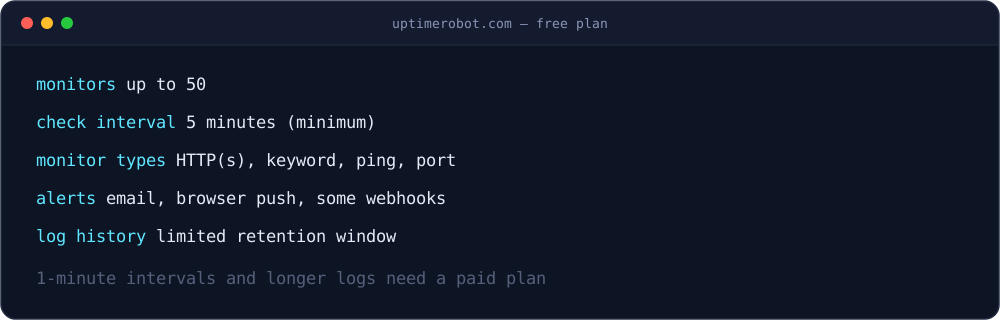
The free plan is generous enough for this use case, but it's worth knowing the boundaries:
- Up to 50 monitors, which is far more than a single side project needs.
- 5-minute checks is the shortest interval available — 1-minute checks are a paid feature.
- Covers HTTP(s), keyword, ping, and port monitor types, not just plain uptime checks.
- Alerting covers email and browser push by default, with some webhook and integration options.
- Log history is kept, but the retention window is limited compared to paid plans.
Does This Actually Solve the Free-Tier Problem?
Partially, and it's worth being honest about the parts it doesn't fix.
Render's free plan still has a monthly instance-hour budget. From what I found researching this, free web services share a pool of 750 instance hours per month across your account. A 30-day month is 720 hours, so that budget comfortably covers one service running the entire month without a single spin-down. That's the actual math behind this trick: 750 free hours, 720 hours in the month, which means one account can technically keep one free service pinged by UptimeRobot and running non-stop, all month, and still not hit the cap. Try to do that with a second free service at the same time, though, and you're well past 750 combined hours before the month is out — Render pauses whichever service pushes you over, regardless of how often UptimeRobot is pinging it.
It's a workaround, not a guarantee. The check only needs to land before Render's idle window closes, which normally isn't an issue at a 5-minute interval — but if UptimeRobot has an outage of its own, or the monitor gets misconfigured, you can still get a cold start on the next real visitor.
It's not really what the free tier is for. Render's free instances are meant for testing and low-traffic projects that can tolerate spinning down between uses. Keeping one artificially always-on gets you closer to production behavior without paying for it, but for anything where uptime actually matters, the more honest fix is paying for an always-on instance rather than engineering around the free one.
What I'd Take Away From This
For a portfolio API, a demo you link in a resume, or a side project you don't want to explain a 45-second delay for, an UptimeRobot monitor pointed at a /health route is a genuinely useful five-minute setup. It's free, it's simple, and it also gives you actual downtime alerts as a side benefit.
Just don't mistake it for the same thing as an always-on production instance. It's a way to make the free tier behave better within its own limits, not a way to bypass those limits entirely.